How to Calculate a Discount
The formula, worked examples, and mental-math shortcuts for any percent off.
Read guideFinal price, savings, and percent off — all on one screen.
Enter a price or point your camera at a price tag to scan it instantly. Handles stacked discounts — like 30% off, then an extra 10% — so you always know exactly what you'll pay.

Download Discount Calculator: % Off for free on iPhone and iPad running iOS 17 or later. The free version is ad-supported and includes camera scanning for price tags. Upgrade to Pro to remove ads and unlock unlimited camera scans.
Free to download · iOS 17+
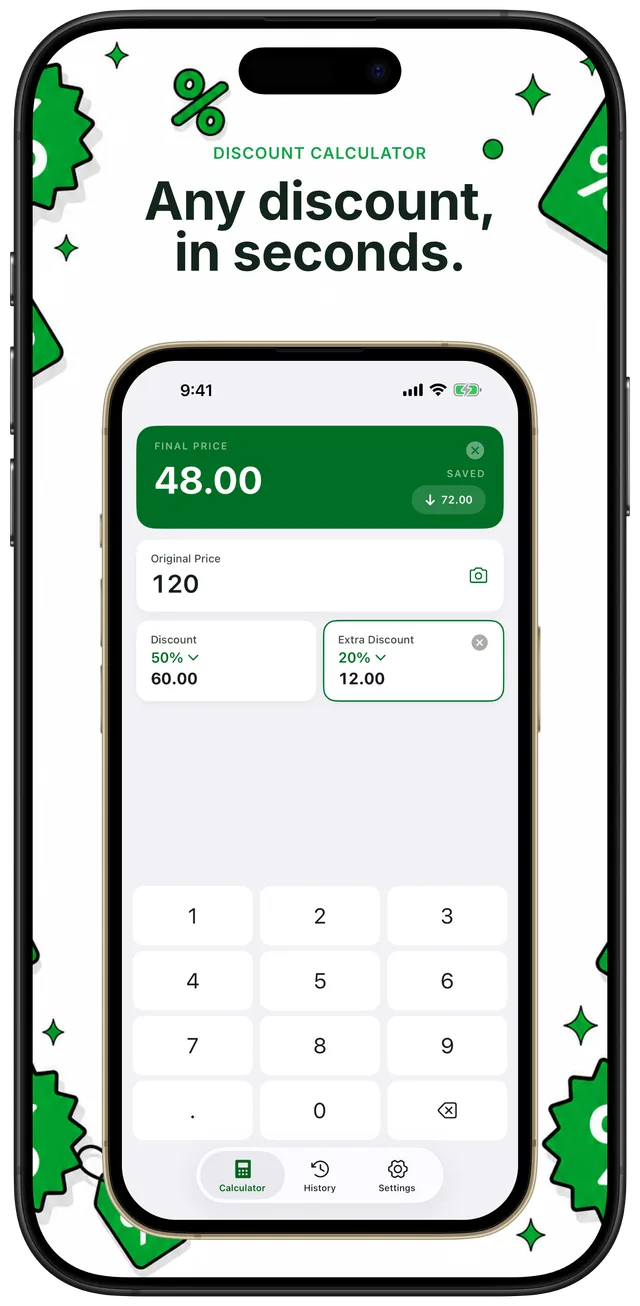
Stacked discounts: $120 at 50% off + extra 20% = $48 final, $72 saved — all on one screen
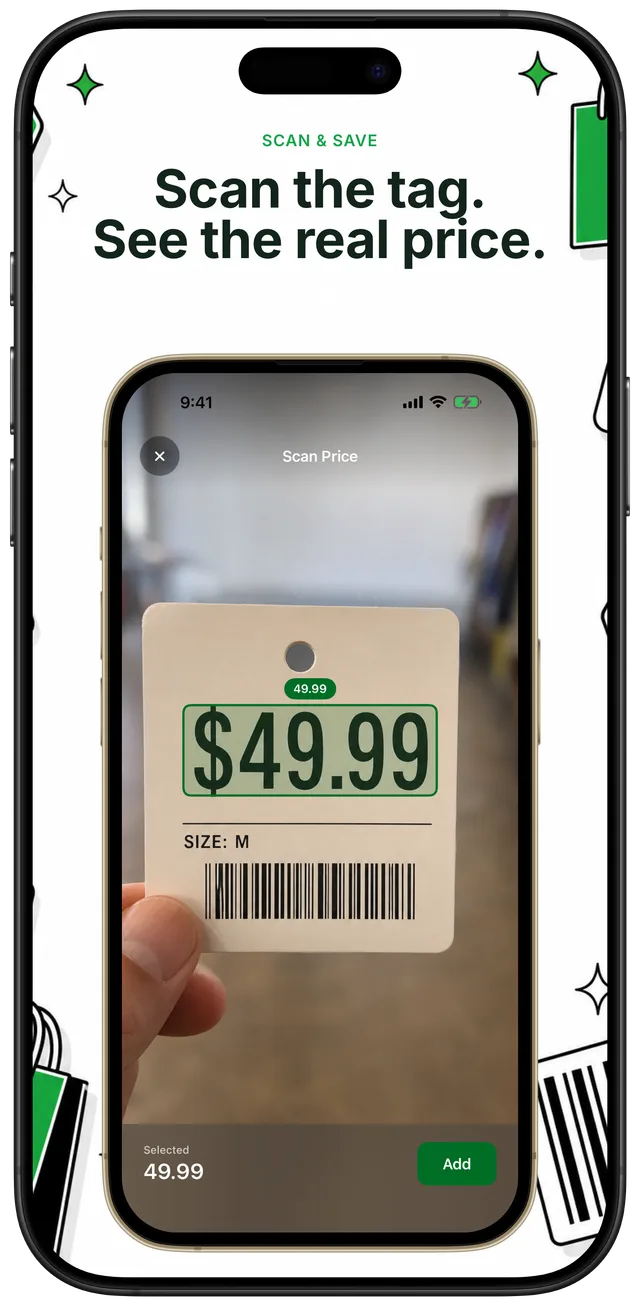
Point your camera at any price tag in the aisle — the app reads the number so you don't have to type
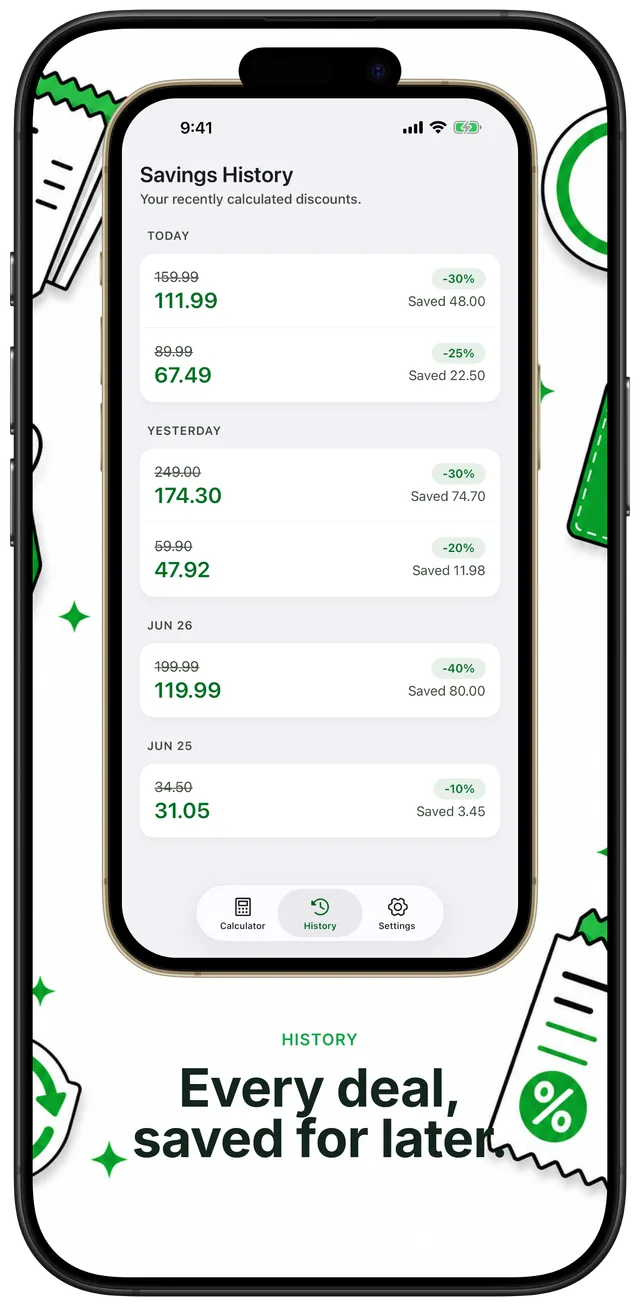
Every calculation auto-saves to a private History tab on your device, grouped by date and searchable
Type any original price, or tap the camera icon to point your phone at a store price tag — the app reads the number automatically.
Tap in the discount field and enter the percent off, or choose from quick-tap presets. No calculator app juggling needed.
The final price, the amount you save, and the percent off all appear on one screen in under 3 seconds.
Add an extra discount (like a coupon on top of a sale) and the app stacks them correctly. Every calculation is automatically saved to your private History tab.
Quick, math-checked guides to percent-off shopping — from the formula to stacked coupons.
The formula, worked examples, and mental-math shortcuts for any percent off.
Read guideQuick-reference table: what you pay at 10%, 20%, 25%, 30%, 40%, 50%, and 70% off for common prices.
Read guideNo — stacked discounts multiply, not add. Here's why 30% off then an extra 10% is only 37% total.
Read guideIn the US, the discount comes first, then sales tax is added on the reduced price — not the original.
Read guideUse the reverse percentage formula to work back from a sale price to the original — and check if the deal is real.
Read guideMultiply the original price by (1 minus the percent off divided by 100). For 25% off $80: 80 × 0.75 = $60 (save $20). Open the app, enter the price and percent, and the result appears in under 3 seconds. Learn more
$35 — you save $15. The formula is $50 × 0.70 = $35. You'll find this and dozens of other common combinations in the percent-off reference table in our guide. Learn more
No. Stacked discounts multiply, not add. 30% then extra 10% gives 0.70 × 0.90 = 0.63, so you save 37% — not 40%. The second discount applies to the already-reduced price, not the original. Learn more
In the US, the discount applies first, then sales tax is added on the discounted amount. So $100 at 20% off is $80, and 8% tax on $80 is $6.40 — total $86.40. The app shows you the discounted price; add your local tax rate on top. Learn more
Use the reverse formula: original = sale price ÷ (1 − p/100). For example, if an item is $60 at 25% off, the original price is 60 ÷ 0.75 = $80. This also helps you verify whether a retailer's claimed original price adds up. Learn more
Open the Calculator tab and tap the camera icon. Point your camera at a price tag in the store — the app reads the number automatically and fills in the price field. No typing needed. Unlimited camera scans are available with a Pro subscription; the free version includes scanning as well.
No account required — download and start calculating immediately. All calculations happen on your device and your History stays stored locally and privately. The app works fully offline; no internet connection is needed for any calculation or to access your History.
The app includes 12 in-app languages: English, German, French, Italian, Spanish, Portuguese (Brazil), Japanese, Dutch, Swedish, Polish, Turkish, and Russian. Since discount math is purely percentage-based, it works with any currency — just enter the price in your local currency. Requires iOS 17+, supports dark mode and Dynamic Type.
Stop doing the math in your head at the checkout — or worse, guessing. Discount Calculator: % Off shows you the final price, the amount you save, and the percent off in under 3 seconds. Free to download on the App Store.